IWC Schaffhausen
Collectors
Forum
  • Categories

  • New to the forum
  • Collector Articles
  • News
  • Community
  • Moderator articles
  • Contemporary timepieces
  • Movements and technical details
  • Vintage timepieces
  • About IWC
  • Gallery
  • Archive

Follow Us

  • Facebook
  • X (Twitter)
  • Pinterest
  • LinkedIn
  • Weibo
  • Home
  • Archive
  • iPhone wallpapers
  1. Threads
  2. Archive
chevron_left Archive

iPhone wallpapers

  • forum 13 replies
  • last reply by argiris 10 Sep 2009
  • Last
  • link
    Cinq
    Master 5431 posts
    8 Sep 2009, 8:55 a.m. 8 Sep 2009, 8:55 a.m.
    link

    Hi there,

    Since a few days I have an iPhone and needless to say, I needed a IWC related background image :-)

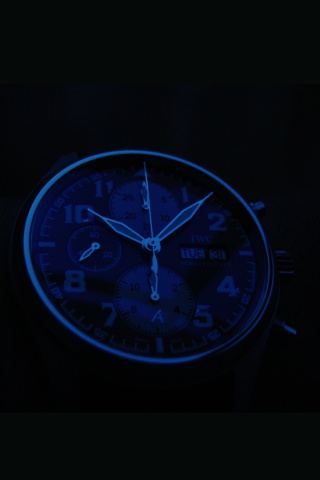
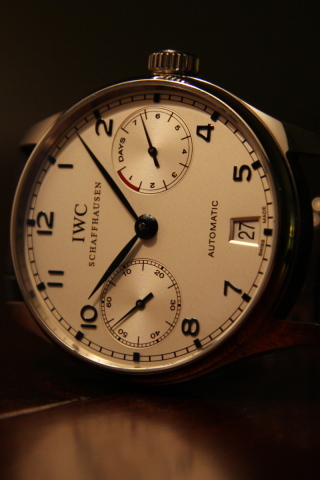
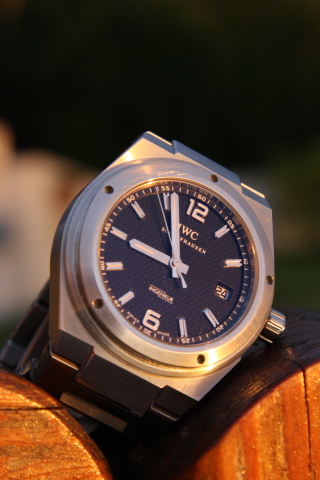
    The Big Pilot one is part of a IWC picture and the Inge pattern is made by me a while ago. The size is 320x480. I think I will make a few more from existing pictures.

    Kind regards,

    Clemens
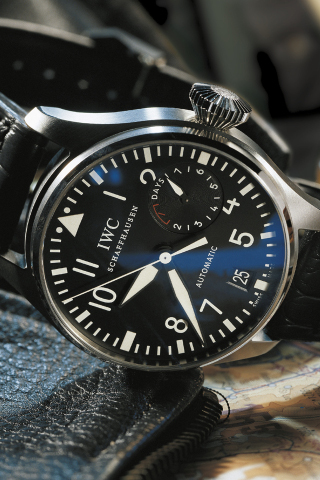
    sibon.triple-it.nl/images/stories/iPhone/BP_320_480.jpg

    sibon.triple-it.nl/images/stories/iPhone/Inge_pattern_iPhone.jpg

  • link
    India Whiskey Charlie
    Connoisseur 298 posts
    8 Sep 2009, 11:50 p.m. 8 Sep 2009, 11:50 p.m.
    link

    Very Cool, Cinq...

    How do you set them as wallpapers on the iPhone/iPod Touch?

  • link
    Isobars
    Master 6256 posts
    9 Sep 2009, 6:25 a.m. 9 Sep 2009, 6:25 a.m.
    link

    Here's the image you want cinq =>

    Along with the original so you can download it.

    Thank you Nicky!
    --
    Cheers from Isobars.

    i228.photobucket.com/albums/ee278/RWK29/IMG_0878.jpg

    i228.photobucket.com/albums/ee278/RWK29/24H2.jpg

  • link
    Cinq
    Master 5431 posts
    9 Sep 2009, 5:50 a.m. 9 Sep 2009, 5:50 a.m.
    link

    Very Cool, Cinq...

    Hi VikenB,

    First, you have to copy them to the iPhone. I have put them in a folder that I sync using iTunes. Then, you can watch the pictures on your iPhone and there is a small icon that looks like an arrow coming out of a box. If you select that one, you get a list with a few options. One is to set the image as your background.

    Hope this helps.

    Kind regards,

    Clemens

  • link
    Mr. Bob Bunnik
    Master 5208 posts
    8 Sep 2009, 11:35 a.m. 8 Sep 2009, 11:35 a.m.
    link

    Cool, now I need an iPhone! nt

  • link
    Cinq
    Master 5431 posts
    8 Sep 2009, 4 p.m. 8 Sep 2009, 4 p.m.
    link

    A few more..

    I cut up a few more pictures to fit the iPhone resolution. I will have to find a nice one from the Ingenieur 3227 too, that way I can have a background matching the watch I will be wearing :-)

    [sibon.triple-it.nl/images/stories/iPhone/StEx_2_320_480.jpg](sibon.triple-it.nl/images/stories/iPhone/StEx_2_320_480.jpg)

    [sibon.triple-it.nl/images/stories/iPhone/StEx_320_480.jpg](sibon.triple-it.nl/images/stories/iPhone/StEx_320_480.jpg)

    Kind regards,

    Clemens

    sibon.triple-it.nl/images/stories/iPhone/PA_320_480.jpg

  • link
    Mr. Norbert Scheepers
    Master 2703 posts
    9 Sep 2009, 1:30 a.m. 9 Sep 2009, 1:30 a.m.
    link

    That last one is really nicent

  • link
    Cinq
    Master 5431 posts
    9 Sep 2009, 2:15 a.m. 9 Sep 2009, 2:15 a.m.
    link

    And the promised Inge 3227 picture

    Now I have at least one background picture of each of my watches :-)

    Kind regards,

    Clemens

    sibon.triple-it.nl/images/stories/iPhone/Inge_320_480.jpg

  • link
    Isobars
    Master 6256 posts
    8 Sep 2009, 12:05 p.m. 8 Sep 2009, 12:05 p.m.
    link

    Ja Bob! nt

  • link
    India Whiskey Charlie
    Connoisseur 298 posts
    9 Sep 2009, 12:20 p.m. 9 Sep 2009, 12:20 p.m.
    link

    Thanks, I just did that...

    And I set the 5004 as a wallpaper. At what point do you see the wallpaper? I only see it when I am waking the unit up from the power saving mode. Once you slide to unlock, the image goes away. Is that the way it's supposed to work?

    i65.photobucket.com/albums/h238/vikenb/5004.jpg

  • link
    Cinq
    Master 5431 posts
    9 Sep 2009, 2:55 p.m. 9 Sep 2009, 2:55 p.m.
    link

    There is another possibility..

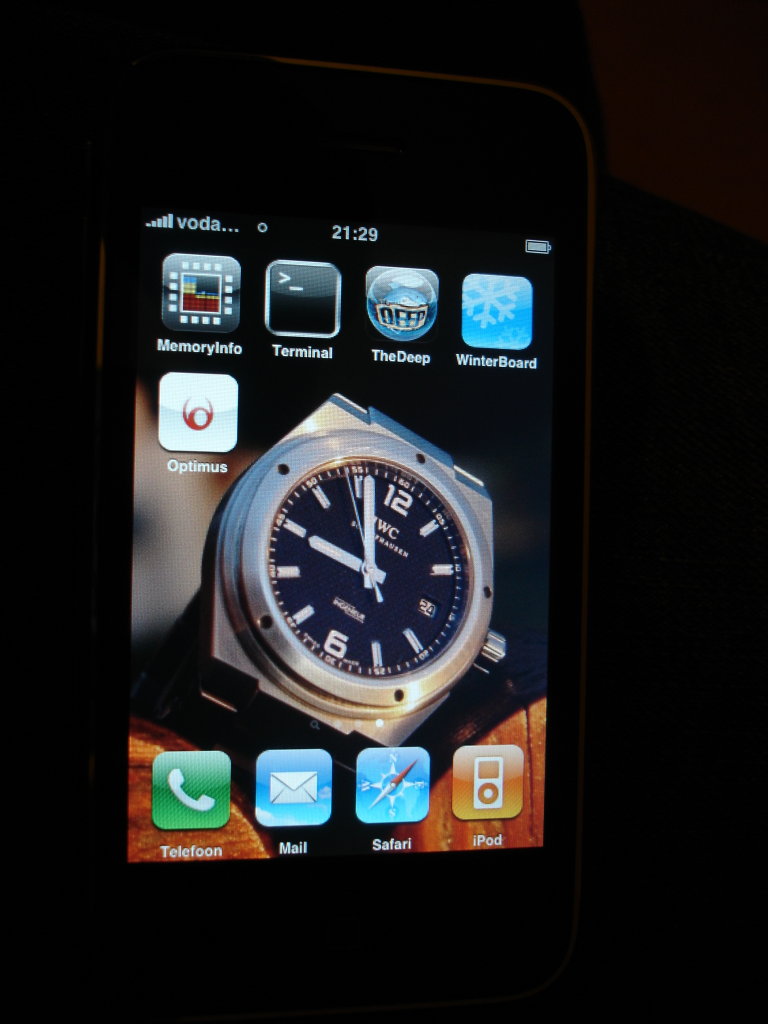
    What you describe, is the standard for the iPhone. There is however a tool (WinterBoard) that allows you to set the background at the 'active' iPhone. You can also choose the 'Transparent Dock' feature, that way the background is also visible between the fixed icons at the bottom part (the Phone, Mail, Safari & iPod icons).

    I will try to take a picture of my iPhone this evening.

    Kind regards,

    Clemens

  • link
    India Whiskey Charlie
    Connoisseur 298 posts
    9 Sep 2009, 10:25 p.m. 9 Sep 2009, 10:25 p.m.
    link

    Thanks...

    It appears that WinterBoard requires jailbraking.

  • link
    Cinq
    Master 5431 posts
    9 Sep 2009, 9:30 p.m. 9 Sep 2009, 9:30 p.m.
    link

    Picture...

    Hi VikenB,

    Here is a picture to show you how it looks now. As for jailbreaking: I haven't installed my iPhone myself so I have no idea about that.

    Kind regards,

    Clemens

    sibon.triple-it.nl/images/stories/Ingenieur/iPhone_Inge.jpg

  • link
    Mr. argiris develegas
    Master 2973 posts
    10 Sep 2009, 12:05 p.m. 10 Sep 2009, 12:05 p.m.
    link

    You were always

    my inspiration Clemens thank you.

    Argiris

There are no more posts in this thread.

Follow Us

  • Facebook
  • X (Twitter)
  • Pinterest
  • LinkedIn
  • Weibo
Contact Our Concierge
  • Contact Us
  • +1-800-432-9330
Go to iwc.com
  • Conditions of Sale
  • Privacy Policy
  • Terms of Use